
On this page
Website vs Web Application: Quick Answer
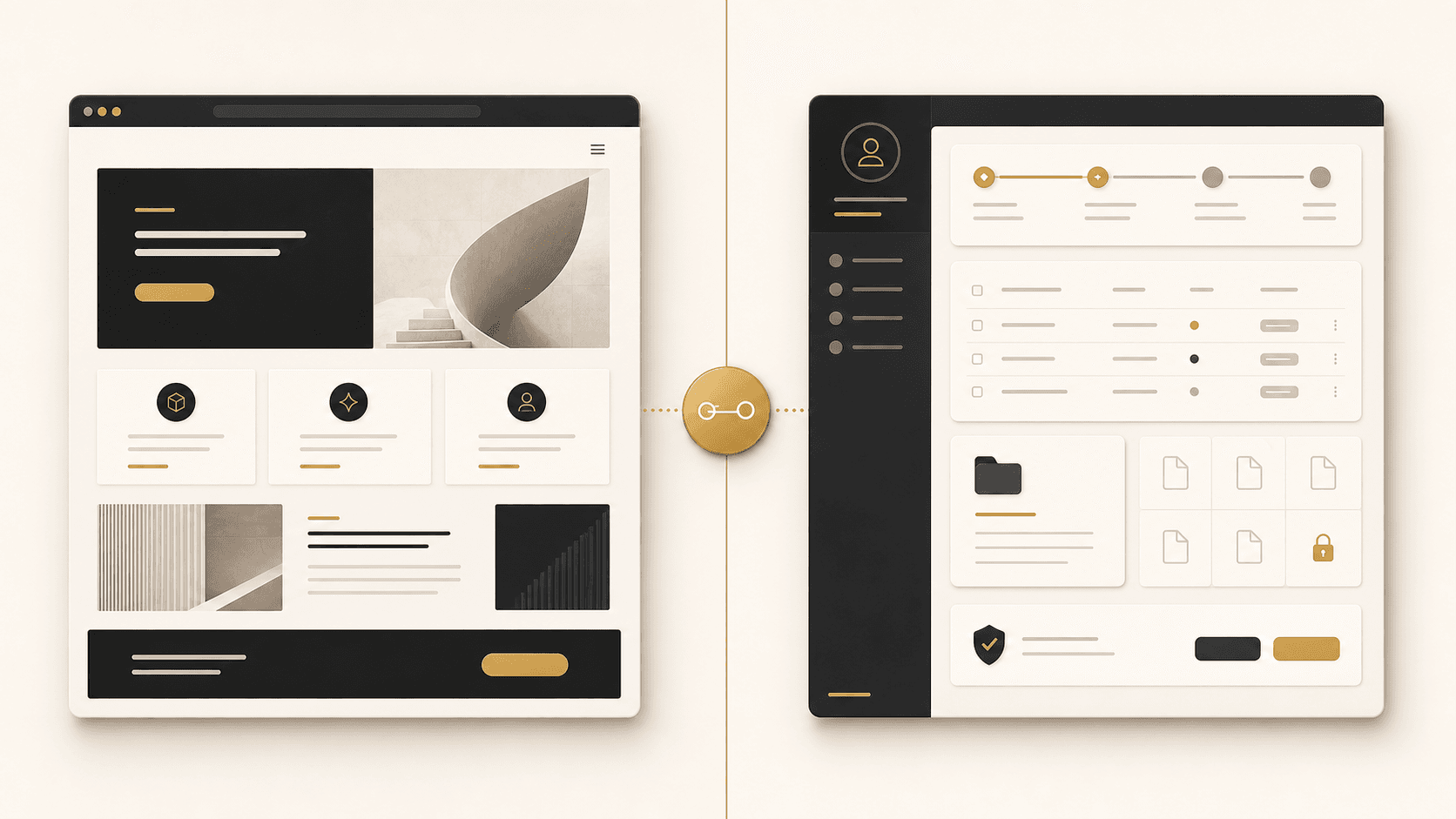
A website primarily helps people consume information, discover services, and navigate public content. A web application lets people perform ongoing tasks: managing accounts, submitting information, updating records, tracking requests, working with data, or completing workflows. Many modern digital products contain both—for example, a marketing website plus customer portal.
The distinction matters when a business is planning work
Businesses often use “website” and “web application” interchangeably. That is understandable: both run in a browser and use the same web technologies. But the distinction matters when one project is meant to explain services and generate enquiries while another must let users sign in, manage records, submit requests, or complete operational workflows. MDN’s explanation of how the web works is helpful context for the shared browser-based foundation.
What is a website?
A website is a collection of web pages whose main job is usually communication and discovery. It can explain a business, present services, publish content, show work, provide locations, sell products, or turn interest into an enquiry. Modern websites are not necessarily static: they can include search, calculators, booking, forms, ecommerce, personalisation, and dynamic content. The useful question is whether people primarily come to find and understand information. Website Development, Redesign & Support is designed around that public-facing experience.
What is a web application?
A web application is software accessed through a browser. Its main job is interaction: users work with data, records, tasks, permissions, workflows, or account-specific information. A CRM, scheduling system, staff portal, case-management tool, SaaS product, and internal operations dashboard are all familiar examples. They often need accounts, role-based access, notifications, reporting, integrations, and business rules. Custom Software Development & Modernization is appropriate when those operational needs drive the project.
Website vs web application: key differences
These are practical tendencies, not a rigid boundary. A public ecommerce storefront can be content-led yet contain substantial application functionality. An application can have public product and support pages. Start with what users need to do.
| Area | Website | Web application |
|---|---|---|
| Primary purpose | Information, discovery, marketing, content | Tasks, workflows, and data interaction |
| Typical access | Mostly public | Often authenticated |
| User accounts | Optional | Frequently central |
| Data interaction | Usually limited | Often extensive |
| Business logic | Typically lighter | Often significant |
| Roles and permissions | Limited in most cases | Often essential |
| Integrations | Possible | Frequently important |
| SEO | Public content is often central | Public pages may need SEO; private screens serve users |
| Ongoing work | Content and feature improvements | Product, workflow, data, and security development |
| Security | Important for every site | More complex where accounts and sensitive data are involved |
Digital projects sit on a spectrum
The decision is usually not a choice between two sealed categories. As a project adds account-specific data, user roles, repeated tasks, and integrations, it moves further toward application territory.
websiteInteractive
websiteEcommerce or
bookingCustomer
portalInternal business
systemSaaS
platform
Examples: website or web application?
Local professional services company
Explains services, demonstrates experience, publishes guides, and generates enquiries.
Likely: Usually a website.
Restaurant
Provides menu, location, hours, reservation link, and ordering integration.
Likely: A website with interactive integrations.
Customer account portal
Lets customers log in, view account data and documents, submit requests, and track status.
Likely: A web application / portal.
Staffing platform
Coordinates roles, jobs, workers, assignments, workflow states, and reporting.
Likely: A web application.
SaaS product
Needs accounts, subscriptions, product features, dashboards, data, and administration.
Likely: A web application plus a public website.
Ecommerce store
Supports discovery and content alongside cart, checkout, accounts, and orders.
Likely: A blend of website and application functionality.
Is a customer portal a web application?
In most cases, yes. A customer portal is usually a web application because authenticated users interact with account-specific information and complete tasks: tracking status, downloading documents, making requests, viewing billing information, updating a profile, or exchanging messages. The public website explains the offer and supports discovery; the portal supports the ongoing relationship. See our guide to customer portal development and Business Portals & Internal Systems for the practical implications.
Complexity and cost follow the work required
A web application often involves more moving parts because it has to make reliable decisions about authentication, permissions, data models, workflows, databases, APIs, notifications, reporting, error handling, testing, and security. That does not make every application expensive or every website simple. A complex public website with ecommerce, accessibility work, content migration, performance requirements, and integrations can be demanding; a narrowly scoped internal app can be a sensible first release.
Website cost drivers
Page types, content, UX and design, CMS, ecommerce, accessibility, performance, SEO migration, integrations, and ongoing support.
Web application cost drivers
Roles, workflows, data, permissions, integrations, reporting, migration, testing, security, infrastructure, and ongoing product development.
For a clearer explanation of application budgeting, read what custom software development cost depends on.
SEO, mobile, and app-like experiences
Public website content is usually designed to be discoverable. Authenticated application screens normally exist for signed-in users and often should not be indexed. A web application may still have public landing pages, documentation, product pages, resources, help pages, or public profiles that need a considered SEO approach. Google Search Central’s JavaScript SEO guidance explains the specific considerations for JavaScript-powered experiences.
Both websites and web applications can be responsive and work in a mobile browser. A responsive web application is still browser-based software; it does not automatically require a native mobile app. A progressive web app uses web technologies with additional app-like capabilities, as described in MDN’s guide to Progressive Web Apps. Native mobile apps can offer deeper platform integration, but neither approach is universally better—the requirement should decide.
How web applications connect to business systems
Useful applications are rarely isolated. They may connect to a CRM, payment platform, accounting system, email or SMS provider, scheduling tool, document storage, ERP, analytics platform, and internal database. An API is the interface through which software can interact with other software; MDN’s overview of application programming interfaces (APIs) gives the high-level definition without turning this decision into a developer tutorial.
CRM · payments · email · scheduling · documents · external APIs
Read API Integration Explained or explore Automation & System Integration to plan those connections safely.
Security requirements change with the product
Every site needs secure development practices. Applications add concerns where they hold accounts, private information, application state, sensitive workflows, and integrations. The practical work can include secure authentication, authorization, input validation, access control, dependency maintenance, logging and monitoring appropriate to the risk, and testing. The NIST Secure Software Development Framework describes high-level practices for integrating security into software development; linking to it is not a claim of certification.
Website or web application? A decision framework
Primarily a website
Most users need public information; discovery, content, and enquiry generation are central; workflows are straightforward.
Primarily an application
Users sign in, manage data, follow repeated workflows, need roles and permissions, or depend on dashboards and integrations.
Both
You need public discovery and marketing plus authenticated customer, staff, or product functionality.
STARTING QUESTION
What does the user primarily need to do?
Read or discover information points toward a website. Complete repeated tasks, manage account-specific information, or move work through stages points toward a web application. When both are true, plan the public and authenticated experiences as connected parts of one product.
Plan the first release around a real user journey
The most useful way to choose between a website and a web application is to trace a real journey from beginning to end. For a prospective customer, that might be finding a service page, understanding a capability, reviewing proof, and submitting an enquiry. For an existing customer, it might be signing in, locating a document, submitting a request, receiving an update, and seeing the result. The first journey is largely a public information and conversion experience. The second is an operational experience that may need identity, data, workflow, and a clear service owner.
A practical project brief should name the people involved, the action each person needs to complete, the information they need to see, and the outcome that proves the task is complete. It should also identify existing systems and the data that must stay consistent between them. This avoids a familiar problem: a team asks for a dashboard before it has decided which records it needs, who owns them, and what a person should be able to do after opening the screen.
Questions for a website brief
- Who needs to find the business and what questions do they bring?
- Which services, evidence, resources, and calls to action matter?
- Which content should be discoverable through search?
- What must work well on smaller screens and for assistive technology?
Questions for an application brief
- Which roles use the system and what should each role be allowed to do?
- What records, workflow states, and approvals need to be reliable?
- Which existing systems provide or receive data?
- What happens when information is missing, delayed, or rejected?
Do not try to solve every future requirement in the first release. A focused application may begin with one user group, one workflow, and a small set of integrations, then expand once the process is working in the real environment. In the same way, a website can launch with a strong structure and priority content before adding a larger resource library, calculator, localisation, or ecommerce feature. The right scope gives a team something useful to learn from without locking it into a broad, untested assumption.
This is also why the answer can be a combination. A business may need a public website that is fast, clear, and discoverable, plus a separately secured portal for customers or staff. Keeping the purposes distinct does not mean creating a disjointed experience. The public site can set expectations and explain the service, while the application gives authorised users a dependable place to do the ongoing work. Shared visual language, clear sign-in routes, and deliberate handoffs make the two parts feel like one business experience.
Frequently asked questions
Are web applications accessed through browsers?
Yes. A web application is commonly accessed in a browser, though it may be designed to work well across desktop and mobile devices.
Do web applications need user accounts?
Not always, but accounts are common where users need private data, saved work, permissions, or an ongoing relationship with the system.
Can one project include both a website and application?
Yes. A public marketing site and authenticated portal or SaaS product often work best as connected, purpose-built experiences.
Choose the experience around the work people need to do.
NogaTech can help clarify the user journey, business systems, and first release before committing to a website, portal, or custom application.